Troubleshooting & Daily Wear
Can You Type With Long Press-On Nails? Tips for Easier Typing
Quick answer: Yes, you can type with long press-on nails. The easiest method is to keep your hands slightly flatter and press the keys with the soft pads of your fingers instead of the nail tips. Short to medium almond or oval press-ons are usually the easiest for typing, while extra-long coffin, square, or stiletto nails may take more practice.
Typing with long press-ons can feel awkward at first. You may type more slowly, make more mistakes, or hear your nails clicking against the keys before your fingertips land. That learning curve is normal, especially if you usually type with short natural nails.
The good news is that most people can adjust. Your typing comfort depends on four things: nail length, nail shape, keyboard type, and how securely your press-ons are applied. A well-fitted press-on set should let you type, text, scroll, and work without constantly worrying about your nails.
New to press-ons? Start with our complete press-on nails guide to understand how they work, how long they last, and how to choose a set that fits your lifestyle.
1. Why Typing Feels Harder With Long Press-On Nails
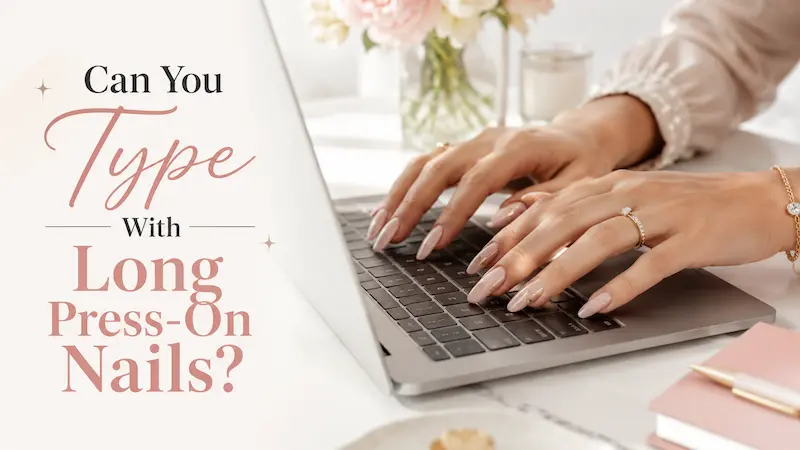
Typing feels different with long press-on nails because the nail extends past your fingertip. When your finger moves toward the keyboard, the nail tip may touch the key before the soft pad of your finger does.
That small change can affect your speed, accuracy, and comfort. You may notice more typos, accidental neighboring keys, or a loud tapping sound as your nails hit the keyboard.
Long press-ons can also catch between keys, especially on keyboards with tall keycaps or deeper spaces. If you pull your finger back too quickly, the nail can scrape, bend, or put extra pressure on the adhesive bond.
Press-on nails also have a unique concern: adhesion. Unlike natural nails, a press-on is attached with nail glue or adhesive tabs. If you repeatedly use the free edge of the nail to hit keys, each keystroke can create a small lever effect. Over time, that pressure may make the nail lift or feel loose.
That does not mean long press-ons are impractical. It simply means your typing technique needs to change.
2. The Best Way to Type With Long Press-On Nails
The best way to type with long press-on nails is to use your finger pads, not your nail tips.
Think of it this way: your fingertips should do the typing, not the nails.
Place your hands slightly flatter over the keyboard. Instead of curling your fingers sharply downward, let the soft fingerprint area of each finger press the keys. This keeps your nail tips from hitting the keyboard first.
At first, focus on accuracy rather than speed. You are retraining your hand position, so it is normal to type slower for the first few hours or days. Once the new angle feels natural, your speed usually improves.
- Keep your fingers relaxed.
- Use a light touch.
- Avoid striking the keys hard.
- Keep your hands flatter over the keyboard.
- Slow down until your accuracy improves.
- Avoid forcing your nails into the gaps between keys.
For longer work sessions, pay attention to your wrist position too. OSHA recommends keeping the hands, wrists, and forearms straight and in line, while Mayo Clinic also advises placing the keyboard so the wrists and forearms stay aligned and the shoulders remain relaxed.
If typing with long nails makes your hands tense, take short breaks and reset your posture.
3. Typing Problems and Quick Fixes
| Problem | Likely Cause | Quick Fix |
| Nails hit the keys before your fingers | Your fingers are too curved | Flatten your hands slightly and use the finger pads |
| More typos than usual | You are typing too fast too soon | Slow down and focus on accuracy first |
| Nails catch between keys | Keyboard keys are too tall or deep | Try a low-profile or laptop-style keyboard |
| Loud clicking sound | Nail tips are tapping the keys | Use a lighter touch and adjust your hand angle |
| One nail feels loose | Too much pressure on the free edge | Stop typing and check for lifting |
| Phone screen does not respond | Nail tip is touching the screen | Use the side of your thumb, finger pad, or stylus |
| Trackpad feels awkward | Nail tip is hitting before your finger | Tap with the finger pad or use an external mouse |
This table is especially helpful if you are wearing long press-ons for the first time. Most typing issues can be fixed by changing your hand angle, slowing down, or switching to a flatter keyboard.
4. Best Nail Lengths and Shapes for Typing
Not all long press-on nails feel the same when typing. Length and shape make a big difference.
In general, shorter and rounder press-ons are easier for daily keyboard use. Longer and sharper styles look more dramatic, but they usually require more practice.
| Press-On Length | Typing Difficulty | Best For |
| Short | Easy | Office work, school, gaming, beginners |
| Medium | Easy to moderate | Daily wear, emails, laptop work |
| Long | Moderate | Users already comfortable with press-ons |
| Extra-long | Hard | Events, photos, weekends, low-typing days |
If you type every day, medium press-ons are often the best balance. They still look polished and feminine, but they are easier to manage than extra-long sets.
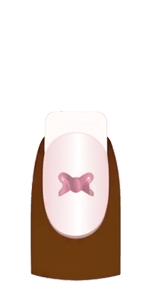
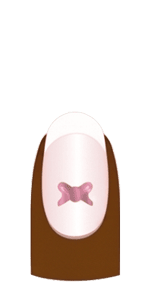
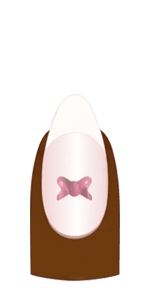
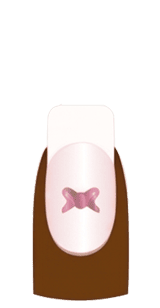
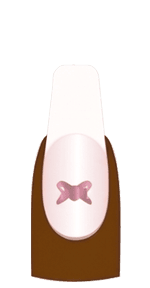
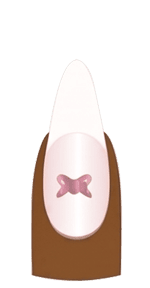
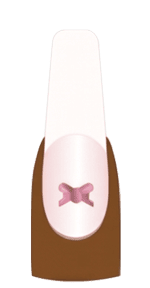
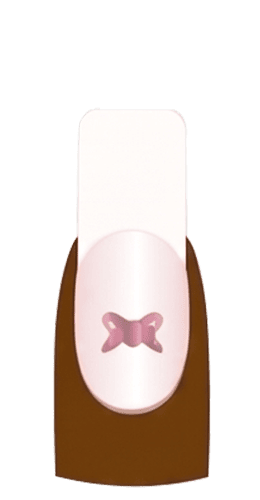
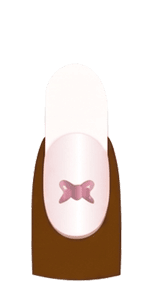
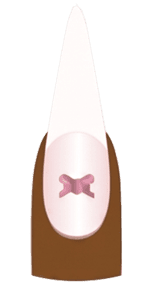
Shape also matters. Oval and almond press-on nails are usually easier for typing because the edges are softer and less likely to catch between keys. Short coffin or medium square nails can also work, but they require a more careful hand position.
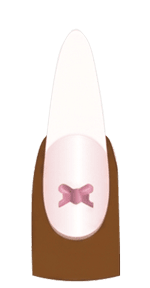
Extra-long coffin, square, and stiletto nails are more challenging. The longer the free edge, the more likely the nail is to touch the keyboard before your fingertip does.
If a set feels only slightly too long or a corner keeps catching between the keys, a small adjustment may help. Before making changes, review how to cut, file, or reshape press-on nails so you can avoid weakening the tip, damaging the design, or removing too much material.
Hana Nail tip: If you work on a computer every day, choose short oval, medium almond, or soft square press-ons for your regular sets. Save extra-long 3D or statement designs for weekends, events, vacations, or days when you do less typing.
Keyboard comfort depends on tip shape as well as overall length. Our guide to choosing press-on nail shapes and lengths can help you select a more practical set before changing your typing technique.
For more practical everyday styles, explore our guide to short press-on nails or our recommendations for office-friendly press-on nails.
5. Best Keyboard Setup for Long Press-On Nails
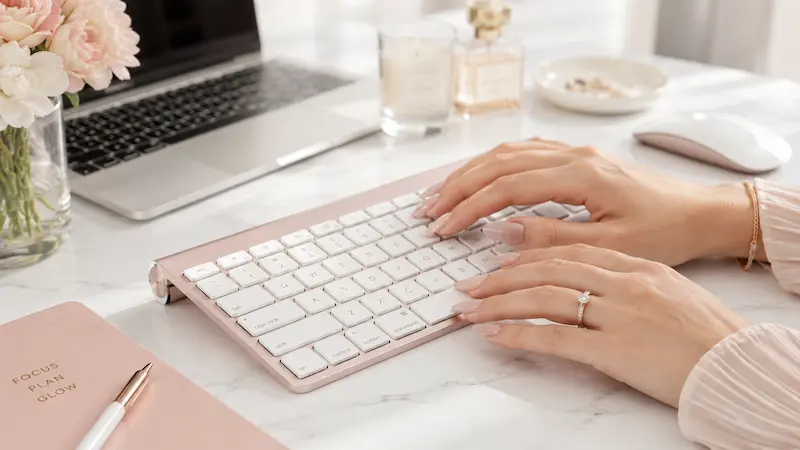
Your keyboard can make typing with long press-ons easier or harder.
Low-profile keyboards are usually easier because the keys are flatter. This includes many laptop keyboards, slim wireless keyboards, and chiclet-style keyboards. When the keys are lower, your nails are less likely to catch between them.
Tall mechanical keyboards can still work, especially if you already wear long nails often. However, they may feel harder at first because the keys sit higher and the gaps can be deeper.
Logitech notes that long nails can contribute to more typos, chipping risk, and click-clack noise, which is why keyboard choice often depends on each person’s nail length, shape, and typing style.
A typing-friendly keyboard for long press-ons usually has:
- Lower key height
- Comfortable spacing
- Light key pressure
- Stable keycaps
- Enough room for your hands to rest naturally
If you use a laptop all day, an external keyboard and mouse may help. This lets you place your hands in a more comfortable position instead of bending around the laptop’s built-in keyboard and trackpad.
Some people also like keyboard covers designed for long nails. For example, Tippy Type has been covered by Allure and The Verge as a keyboard accessory that raises the typing surface so long nails have more room. Both reviews also mention a learning curve, so it is best treated as an optional tool rather than something everyone needs.
The most important thing is still your technique: type lightly, keep your hands relaxed, and avoid using the nail tips as tools.
6. Typing on a Laptop, Phone, and Trackpad With Long Press-Ons
Typing with long press-on nails is not only about a desktop keyboard. You may also need to use a laptop, phone, tablet, or trackpad throughout the day.
Each device requires a slightly different adjustment.
6.1. Laptop typing
Laptop keyboards are often easier for long nails because the keys are flatter. However, the built-in layout may force your wrists into a fixed position.
To type more comfortably on a laptop:
- Keep your hands relaxed.
- Use a lighter touch.
- Avoid pressing down with the nail tips.
- Use an external keyboard if your wrists feel cramped.
- Take breaks during long typing sessions.
If your nails repeatedly hit the lower edge of the keys, slow down and adjust your hand angle.
6.2. Phone texting
Touchscreens respond best to skin contact, not the nail tip. That is why texting can feel strange with long press-ons.
For easier phone use:
- Tap with the side of your thumb.
- Use the soft pad of your finger when possible.
- Turn on swipe typing.
- Use voice-to-text for long messages.
- Increase keyboard size in your phone settings.
- Use a stylus if you want more precision.
Avoid stabbing the screen with the nail tip. It usually does not work well and can make texting more frustrating.
6.3. Trackpad use
Trackpads are manageable with long press-ons, but clicking and dragging can feel different.
Try tapping with the finger pad instead of the nail. For firm clicks, use the lower part of your thumb or switch to an external mouse. If you work on a computer all day, a mouse is often easier than a trackpad.
7. Will Typing Make Press-On Nails Pop Off?
Typing can make press-on nails pop off if the nails are very long, poorly fitted, weakly applied, or used with too much pressure. However, normal typing should not make a well-applied press-on set fall off immediately.
The main issue is pressure on the free edge. When you type with the nail tip, each keystroke pushes against the end of the press-on. Over time, that can weaken the bond and make the nail feel loose.
If one nail starts lifting while you type, stop and check it. Do not pull it off. Continuing to type on a loose nail can make the lifting worse.
For heavy typing days, nail glue usually feels more secure than adhesive tabs. Tabs are useful for short-term wear or reusable sets, but glue is usually the better choice when you need stronger hold. For a deeper comparison, read our guide to the best nail glue for press-on nails.
If your press-ons often loosen during normal daily activities, the issue may be sizing, prep, or application rather than typing alone. These guides may help:
- How to apply press-on nails
- Why press-on nails keep falling off
- Why press-on nails are lifting
- How to fix a press-on nail that falls off
8. A 5-Minute Practice Routine Before Wearing Long Press-Ons to Work
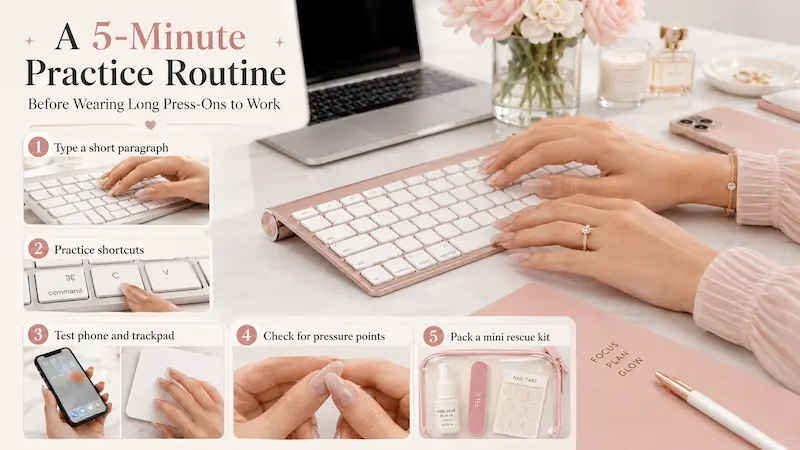
If you are new to long press-on nails, do a quick typing test before wearing them to school, work, or an important event. This helps you catch problems before you need to type quickly.
8.1. Step 1: Type one short paragraph slowly
Open a blank document and type a short paragraph. Do not focus on speed yet. Focus on comfort and accuracy.
If your nail tips keep hitting the keys first, flatten your hand position slightly.
8.2. Step 2: Practice common shortcuts
Try the shortcuts you use every day:
- Ctrl or Cmd + C
- Ctrl or Cmd + V
- Ctrl or Cmd + Z
- Shift + letter
- Enter
- Backspace
- Tab
Long nails can make shortcut keys feel different, especially when you need to press two keys at once.
8.3. Step 3: Test your phone and trackpad
Do not only test your keyboard. Send a short text, scroll on your phone, use your trackpad, and click a few links.
This gives you a better idea of how your nails will feel during real daily tasks.
8.4. Step 4: Check for pressure points
Pay attention to any finger that feels uncomfortable. If one nail keeps catching, tapping loudly, or forcing your finger into an awkward angle, the length or shape may not be ideal for heavy typing.
8.5. Step 5: Pack a small rescue kit
If you will be out all day, bring a mini nail glue, alcohol wipe, small nail file, and spare adhesive tabs. This is especially helpful for long sets, event nails, or first-time wear.
9. Common Mistakes When Typing With Long Press-On Nails
Most typing problems with long press-ons come from a few simple mistakes.
The first mistake is using the nail tips to press the keys. This makes typing louder, less accurate, and more likely to loosen the nails.
The second mistake is choosing extra-long nails for a high-typing day. If you have a full day of emails, schoolwork, coding, gaming, or admin tasks, a short or medium set will usually be more practical.
Another common mistake is pressing too hard. You do not need to strike the keyboard with force. A lighter touch protects both your nails and your hands.
You should also avoid ignoring lifting. If a nail starts to feel loose, stop and check it instead of continuing to type.
Finally, do not use your press-ons as tools. Long nails may look strong, but using them to open cans, scrape stickers, press tiny buttons, or pry objects apart can weaken the bond and damage the nail.
10. Typing-Friendly Choices by Daily Activity
Different daily activities need different press-on lengths. The best choice depends on how much you type and how dramatic you want your nails to look.
| Daily Activity | Best Press-On Choice | Typing Tip |
| All-day keyboard work | Short or medium almond/oval | Use a low-profile keyboard |
| Class notes and assignments | Medium rounded shape | Practice shortcuts before class |
| Gaming | Short or medium length | Avoid extra-long nails for fast key combos |
| Editing, posting, and texting | Medium to long styles | Use voice typing or an external keyboard |
| Weekend or event wear | Long or extra-long designs | Apply after heavy work if possible |
| New to long nails | Short oval or short square | Start with lighter typing sessions |
If typing speed is important to you, practicality should come first. You can still wear beautiful press-on nails without choosing the longest style every time.
A good everyday set should let you type, text, click, scroll, and work without constantly thinking about your nails.
Final Verdict: Are Long Press-On Nails Practical for Typing?
Long press-on nails can be practical for typing, but they require the right technique and the right nail style.
If you keep your hands relaxed, type with a lighter touch, and choose a keyboard that works with your nails, you can type comfortably with press-ons. The adjustment may take a few hours or a few days, especially if you are wearing long nails for the first time.
For heavy typing, short to medium press-ons are the easiest choice. Oval and almond shapes are usually more comfortable than extra-long square, coffin, or stiletto styles.
If you love long statement nails, you can still wear them. Just give yourself time to practice, avoid using the nail tips as tools, and choose a set that fits your daily routine.
The best press-on nails are not only beautiful. They should also fit your lifestyle.
FAQs About Typing With Long Press-On Nails
Can you type with long press-on nails?
Yes. You can type with long press-on nails by keeping your hands slightly flatter and pressing keys with your finger pads instead of the nail tips.
How long does it take to get used to typing with long nails?
Many people need a few hours to a few days. Extra-long nails may take longer, especially if you normally type very quickly.
Do long press-on nails make you type slower?
They can make you type slower at first. Accuracy usually improves first, then speed comes back as your hands adjust.
What nail shape is best for typing?
Short or medium oval and almond press-on nails are usually easiest for typing. Extra-long coffin, square, and stiletto styles are harder because the tips reach the keys first.
Can typing make press-on nails fall off?
It can happen if you type with the nail tips, press too hard, or wear nails that are too long or poorly applied. A well-fitted set with proper application should hold up better.
Are adhesive tabs or glue better for typing?
Nail glue is usually better for long typing days because it gives a stronger hold. Adhesive tabs are better for short-term wear, easier removal, or reusable press-ons.
What keyboard is best for long nails?
A low-profile or laptop-style keyboard is usually easier because the keys are flatter and nails are less likely to catch between them.
Can you use a phone with long press-on nails?
Yes. Use the side of your thumb, your finger pad, swipe typing, voice-to-text, or a stylus. Avoid tapping with the nail tip because most touchscreens respond better to skin contact.
Sources and Editorial References
- OSHA – Computer Workstations: positions and keyboard guidance.
- Mayo Clinic – Office Ergonomics: keyboard and wrist positioning.
- Logitech – Typing With Long Nails: keyboard considerations for people with long nails.
- Allure – Tippy Type Keyboard Cover Review: long-nail typing accessory review.
- The Verge – Tippy Type Review: long-nail typing experience and accessory review.